Breakroom is now Sinewave Campus. Book a meeting

Press

Use this material when you write about Sinewave Campus.

On this pageNews
  1. News
  2. Press kit

News

All news

Press kit

The words, logo and pictures to use when you write about Sinewave Campus.

Download everything as one ZIP, 7.3 MB, updated 18 November 2026

Company description

Sinewave has built virtual world technology for over 15 years. Sinewave Campus, its secure platform for enterprise, launched as Breakroom in 2020. Organisations use it to build interactive 3D scenarios for training and learning simulations: emergency drills, skills training, events and conferences. Learners join in a browser on desktop or phone, or in VR on Quest and Pico. Sinewave was founded in London, and is certified to ISO 27001:2022 for information security management.

Logo

Use the files as supplied: do not redraw, stretch or recolour the logo.

Read the logo rules, PDF, one page


Product pictures

All pictures are from exercises Sinewave Campus built for OPITO. Each opens at full size, up to 3840 × 2160.
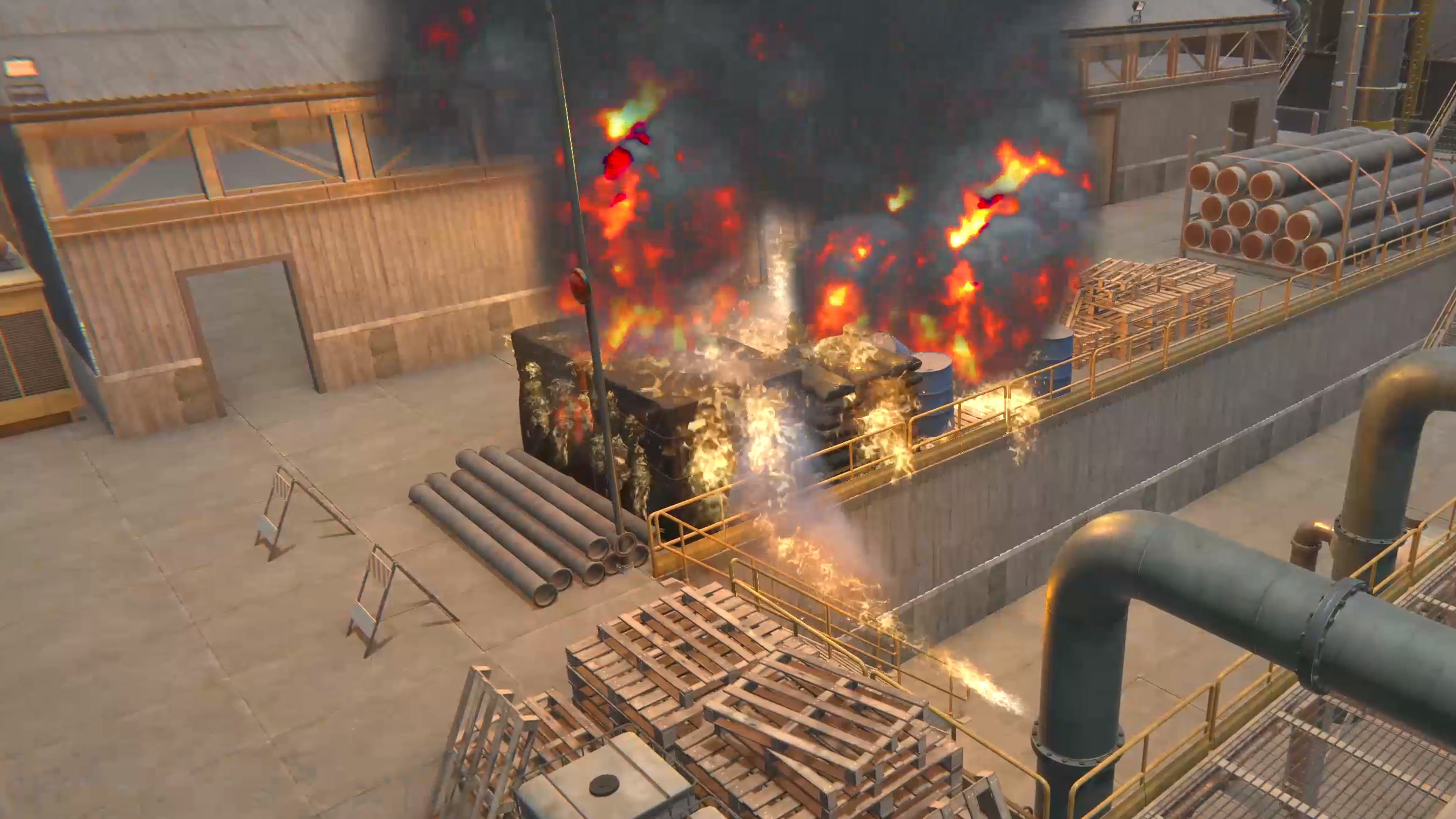
Flames and black smoke rise from barrels and pallets in a railed yard of the simulated hydrogen plant, with a warehouse behind and large pipework in the foreground.
Fire at the hydrogen plant
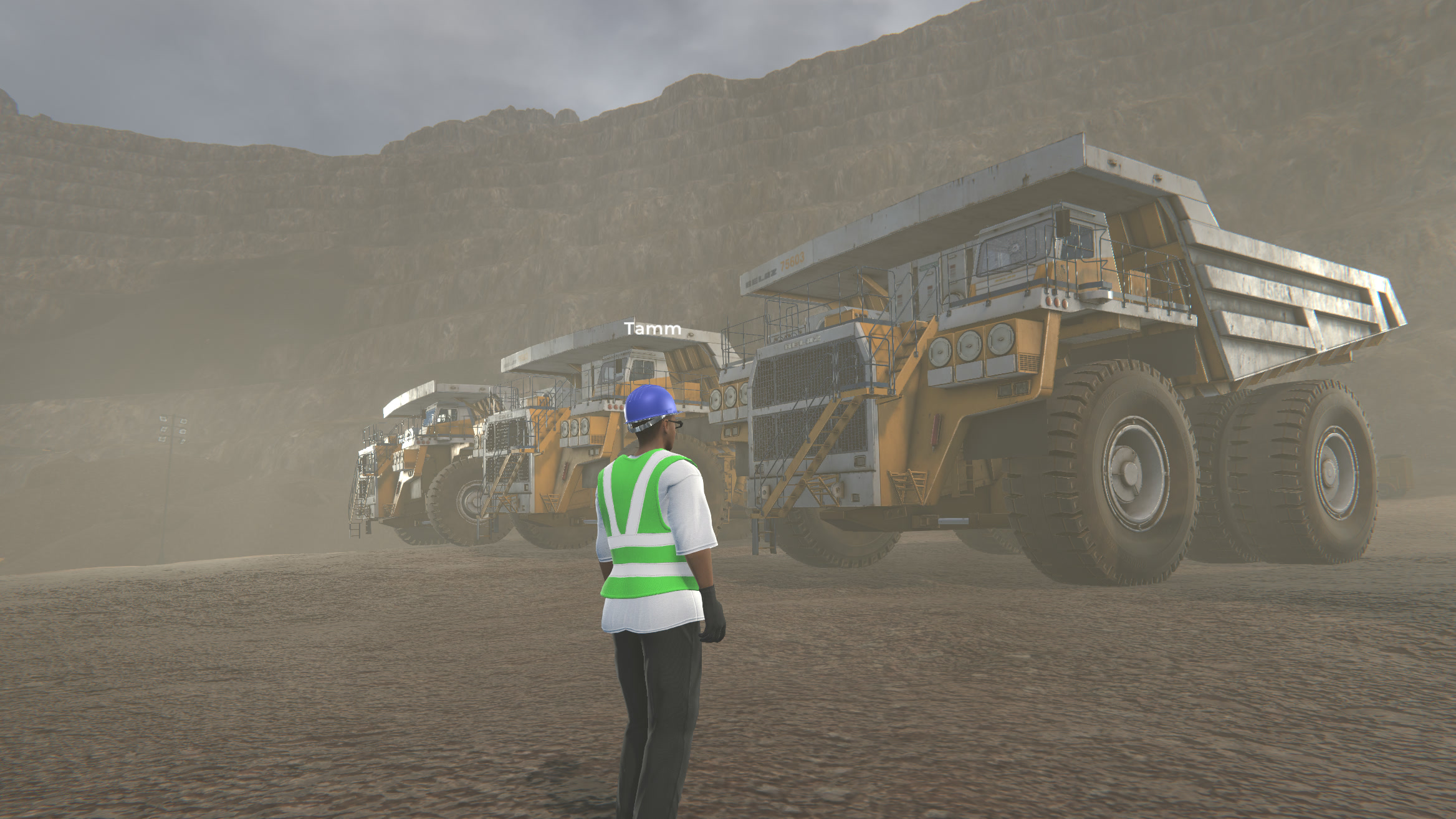
A driver in a hard hat and high-visibility vest stands facing three mining trucks parked in the simulated pit.
Mining trucks before the drive
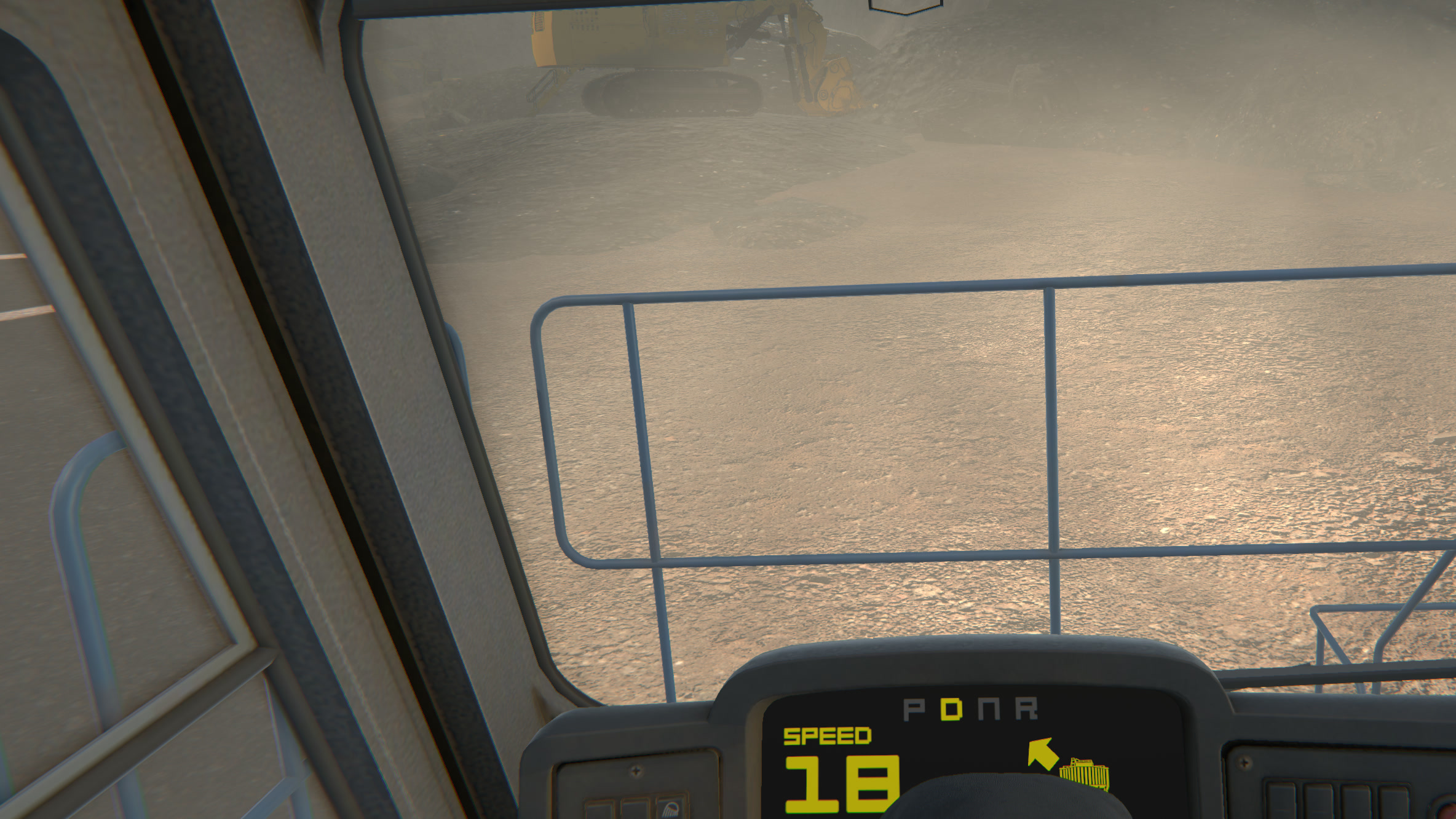
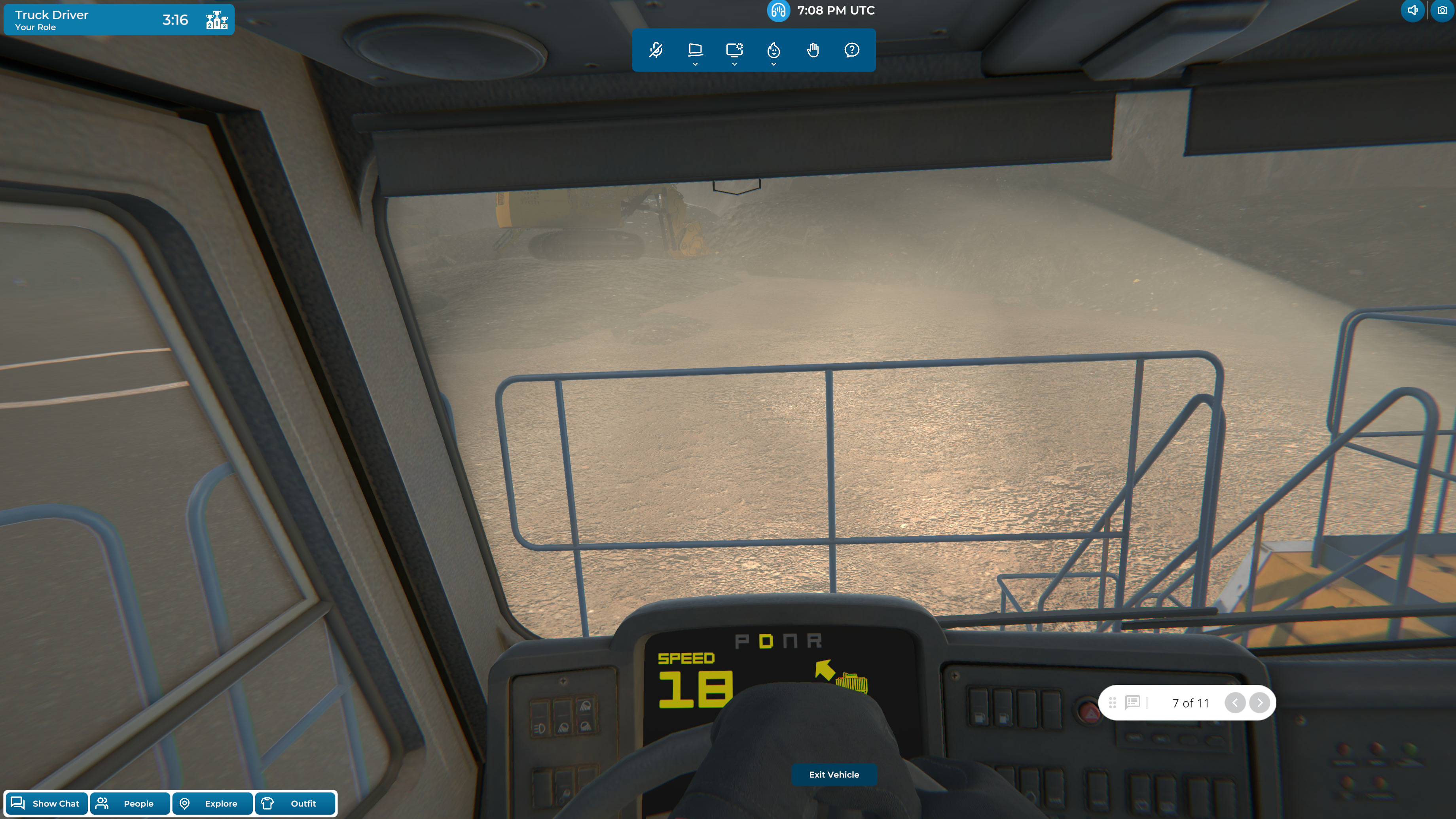
The view from the truck’s cab at 18 mph: the cab door, the windscreen, the railing on the truck’s deck, the loading shovel in the distance and the speed readout on the dashboard.
From the truck’s cab
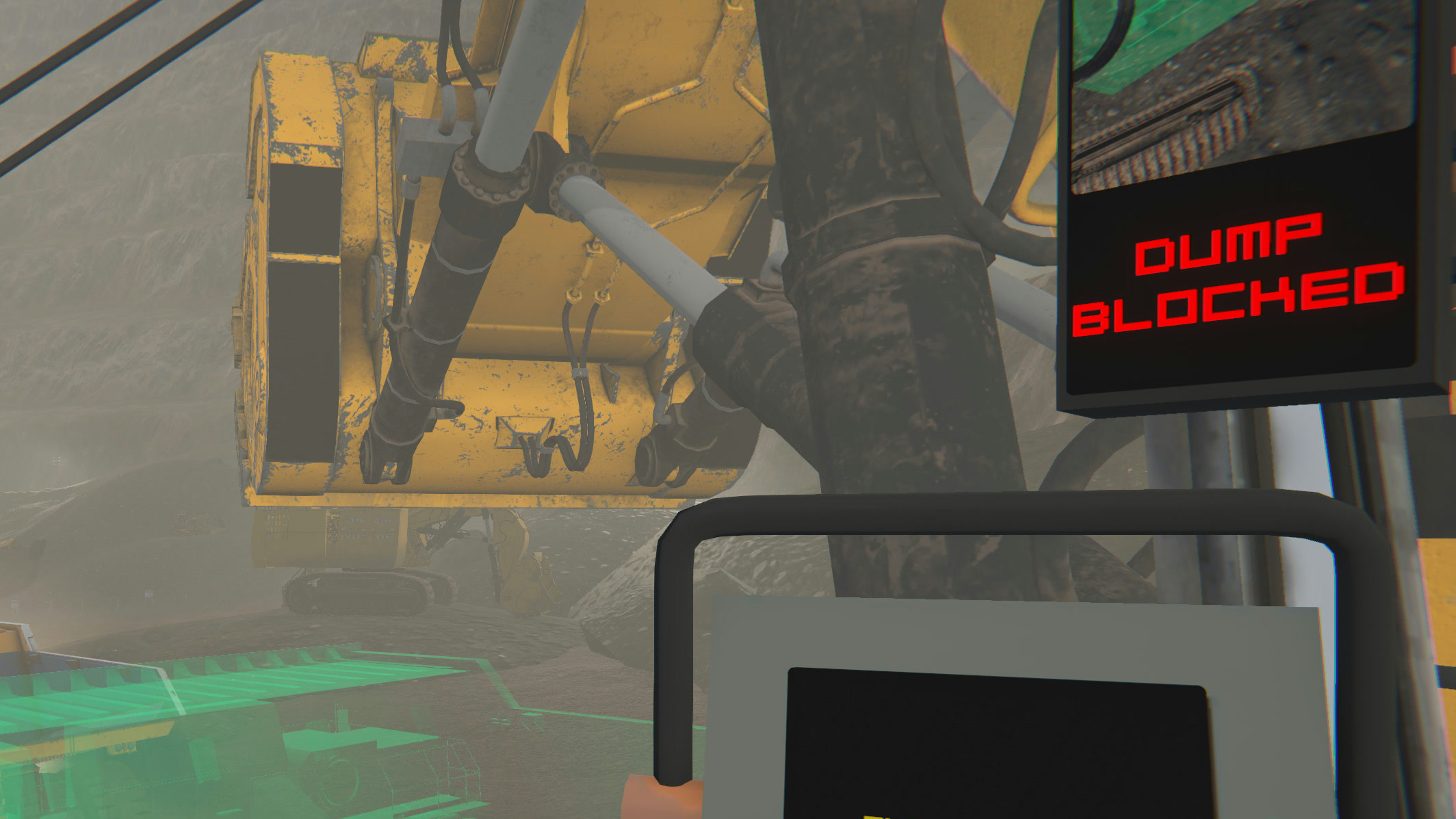
The view from the shovel’s cab: the raised bucket, a sign reading DUMP BLOCKED, and a green outline over the truck below.
From the loading shovel’s cab

Product screenshots

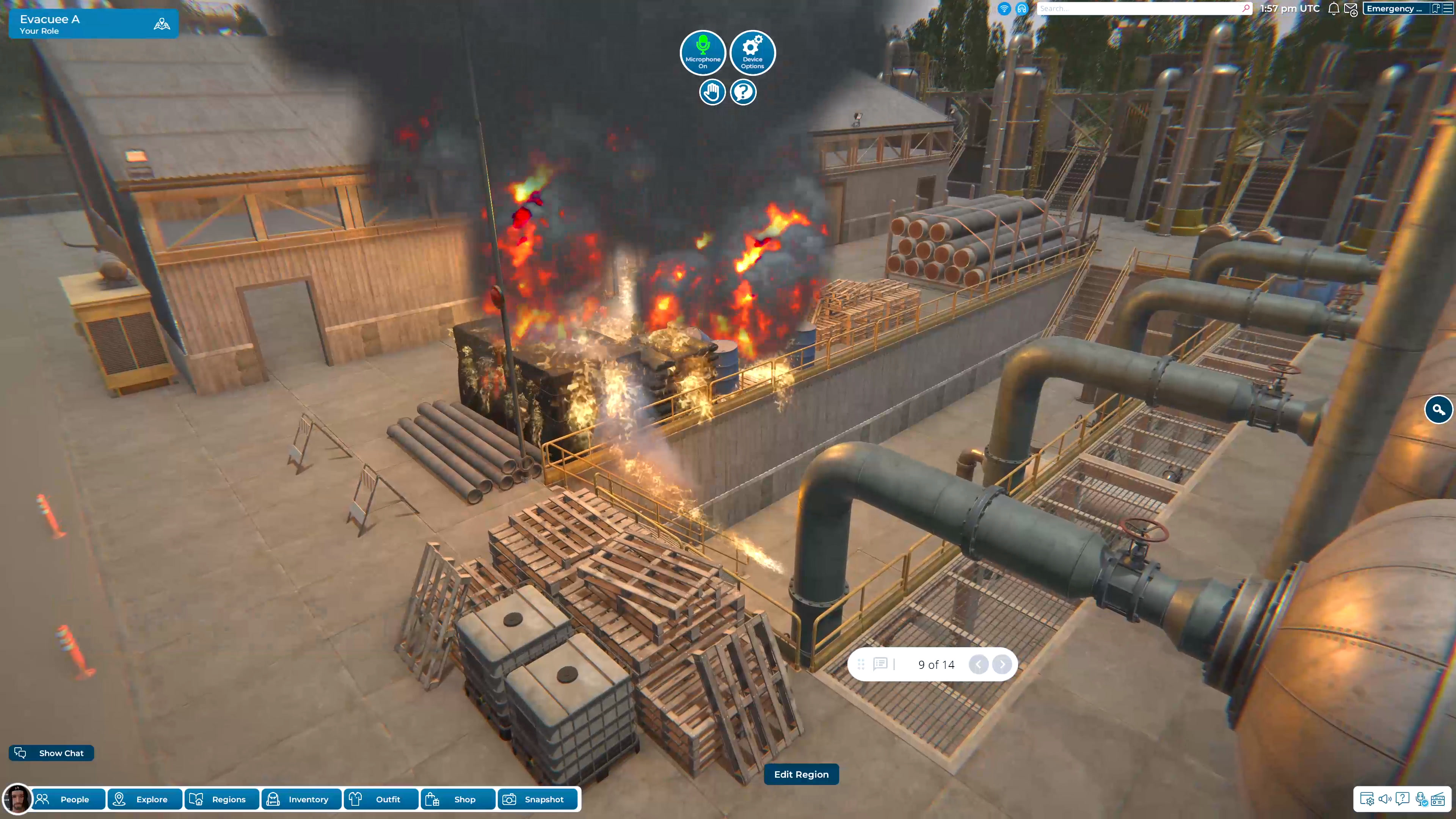
The burning yard of the simulated hydrogen plant on screen, with the Evacuee A role at top left, the search bar, clock and region name at top right, the step counter, and the toolbar with People, Explore, Regions, Inventory, Outfit, Shop and Snapshot along the bottom.
An evacuee’s view of the fire
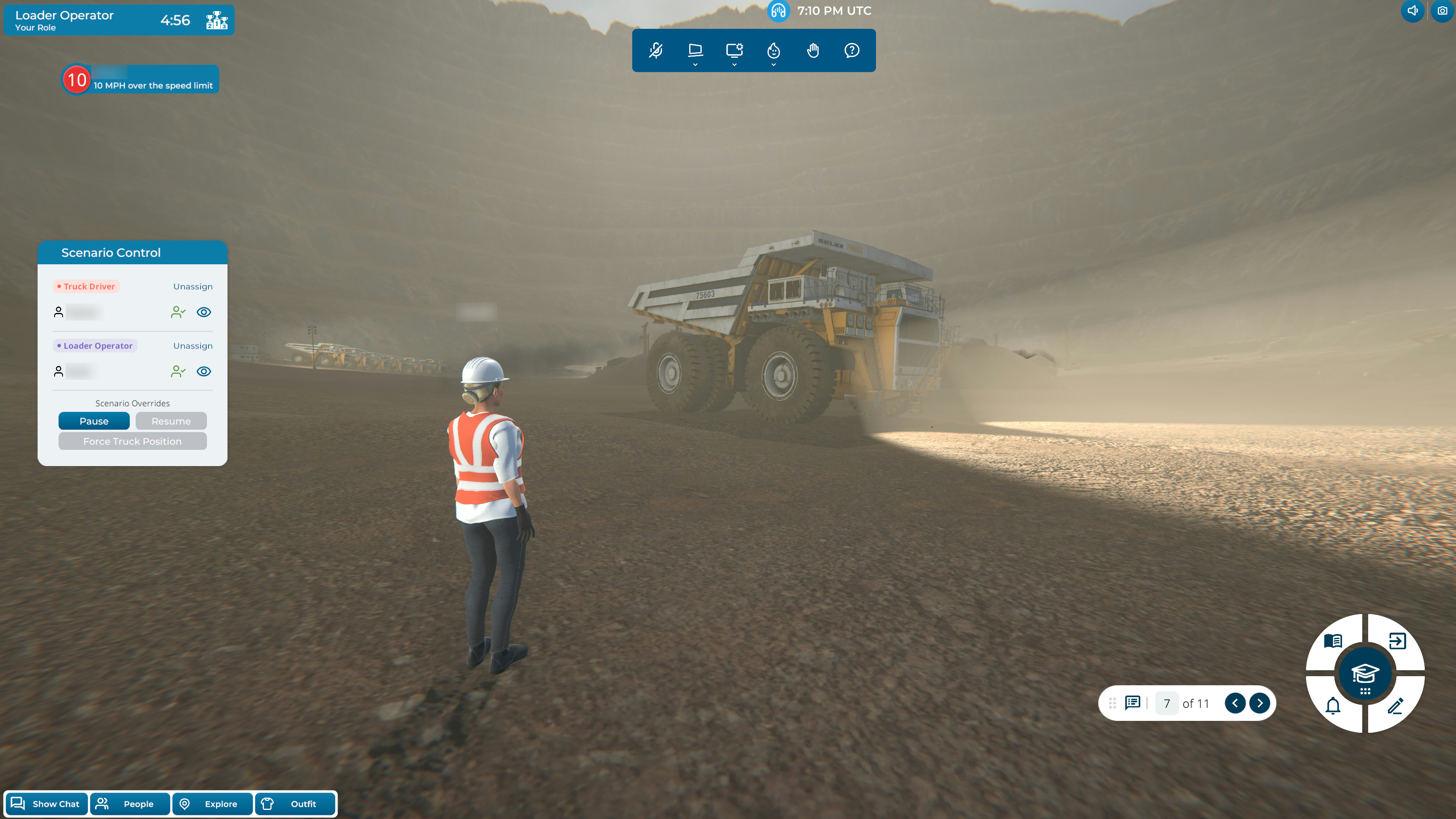
An avatar in a hard hat and orange vest stands in the simulated pit facing a mining truck. On screen: the Loader Operator role and timer, a notice reading 10 MPH over the speed limit, the Scenario Control panel with the Truck Driver and Loader Operator, and its Pause, Resume and Force Truck Position buttons.
Scenario Control flags a speeding driver
The view from the mining truck’s cab at 18 mph, with the Truck Driver role and timer at top left, the toolbar at top centre, step 7 of 11, and an Exit Vehicle button.
The driver’s view, timer on screen
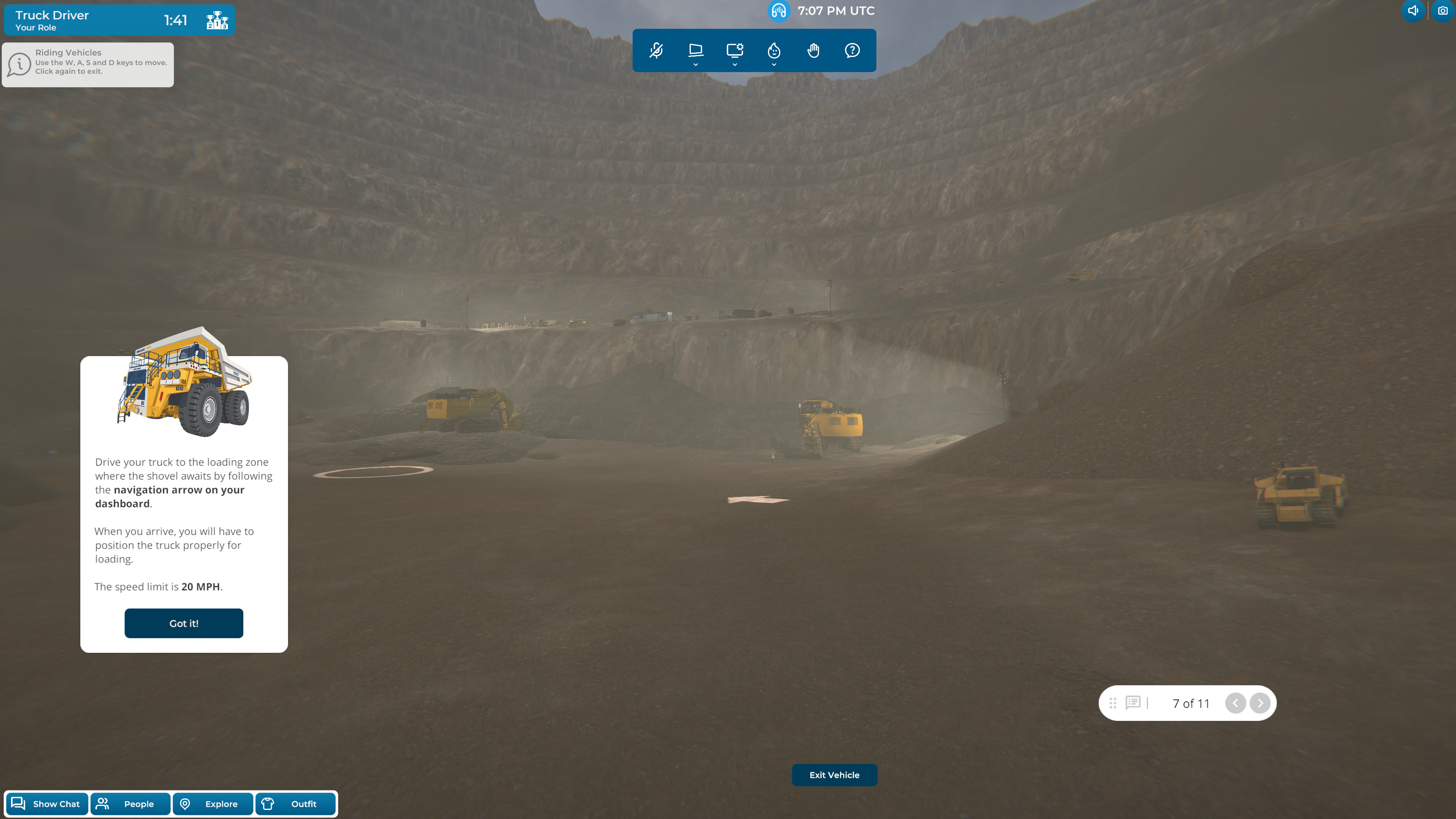
The simulated pit seen from the truck, with the loading shovel and other trucks ahead. A panel reads: Drive your truck to the loading zone where the shovel awaits by following the navigation arrow on your dashboard. The speed limit is 20 MPH.
The driver’s brief

Press enquiries

Send your question through the contact form, and say who you are writing for. We’ll reply to the address you give.