



Sinewave Campus Orientation Quest
On this pageOverview
Overview
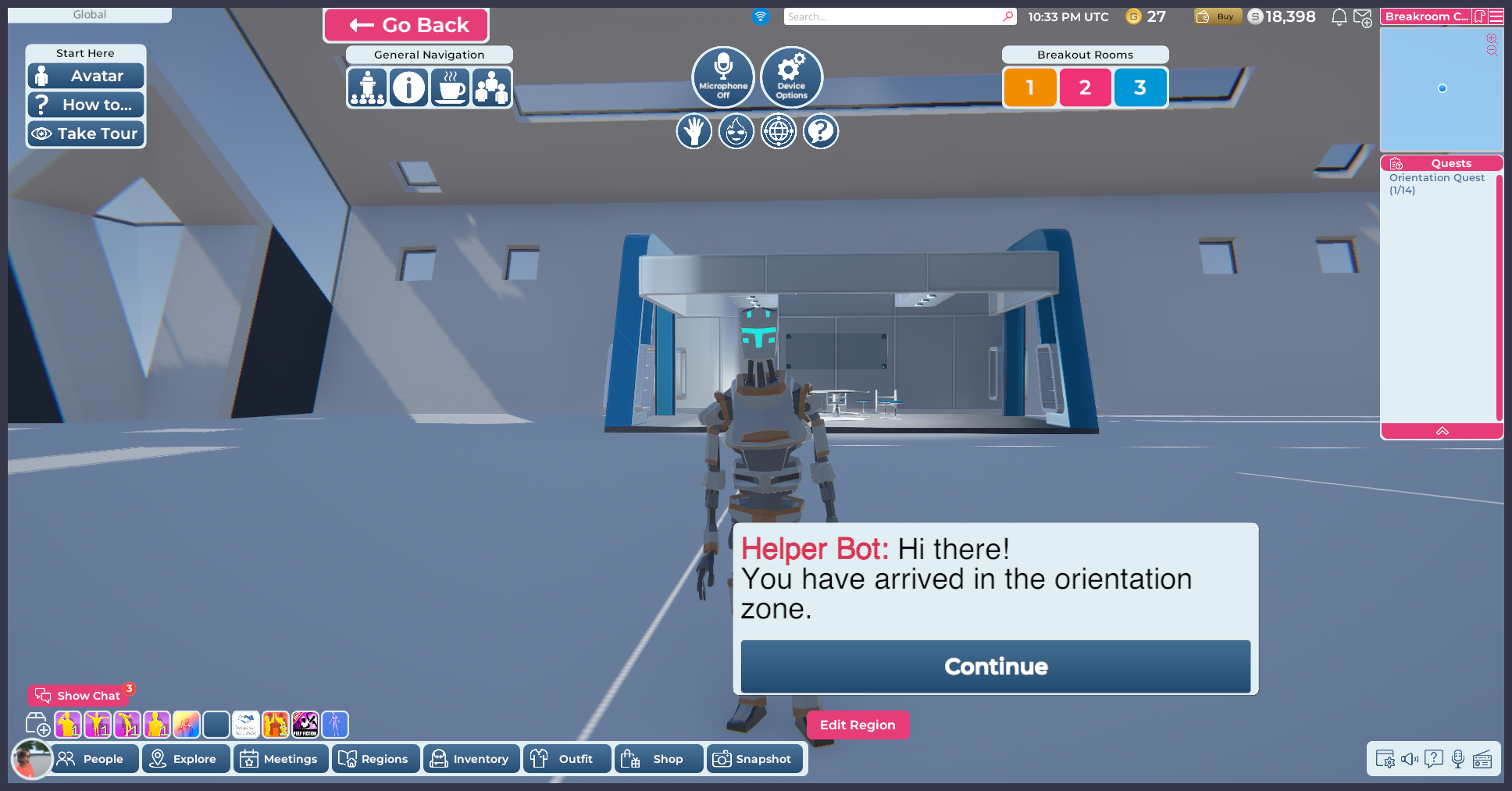
The Sinewave Campus Orientation Quest offers a personalized, self-paced tutorial experience for users who need help getting around, changing their avatar, and activating their microphone. Located high in the sky, the Orientation Zone can serve as a relaxed, quiet place for new users to get away from the hubbub and get their virtual feet under them.
In your Inventory, you'll see the Sinewave Campus Orientation Quest represented by this icon: 
The Sinewave Campus Orientation Quest is a single, self-contained object that can be installed in any Region. If you need help, please review our information on using the Region Editor.
Using the Sinewave Campus Orientation Quest
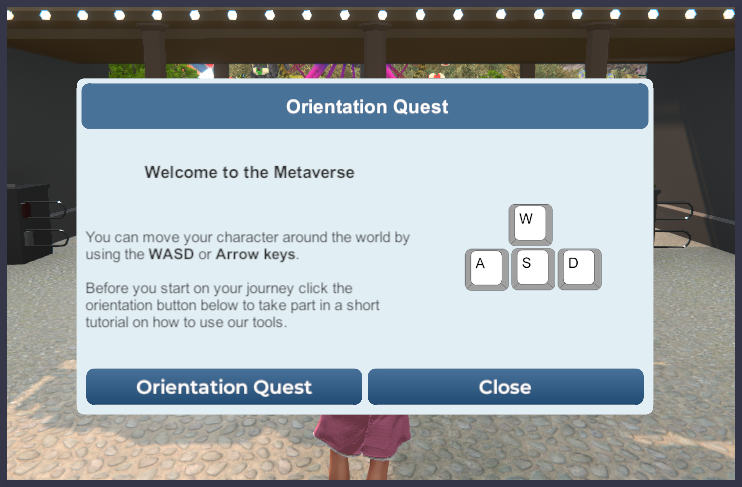
When users enter a Region that contains the Sinewave Campus Orientation Quest, they'll be welcomed with a pop-up reminding them how to get around. After reviewing this information, they can click the Close button to dismiss the pop-up, or click the Orientation Quest button to teleport to the Orientation Zone.
Completing the Orientation Quest is fairly straightforward—helpful robot guides will walk users through every step. Users will learn how to select a starter avatar, how to move through 3D interactive virtual environments, how to use their microphones to talk on voice chat, and how spatial audio works. If at any time they wish to exit the quest, they can do so by clicking the Go Back button located in the top left corner of the screen.
Orientation Regions
By installing the Sinewave Campus Orientation Quest in an official Orientation Region, you can make the quest mandatory for all new users. Users will arrive in your Orientation Region, and will not be allowed to exit the Region until they have completed the tutorial.